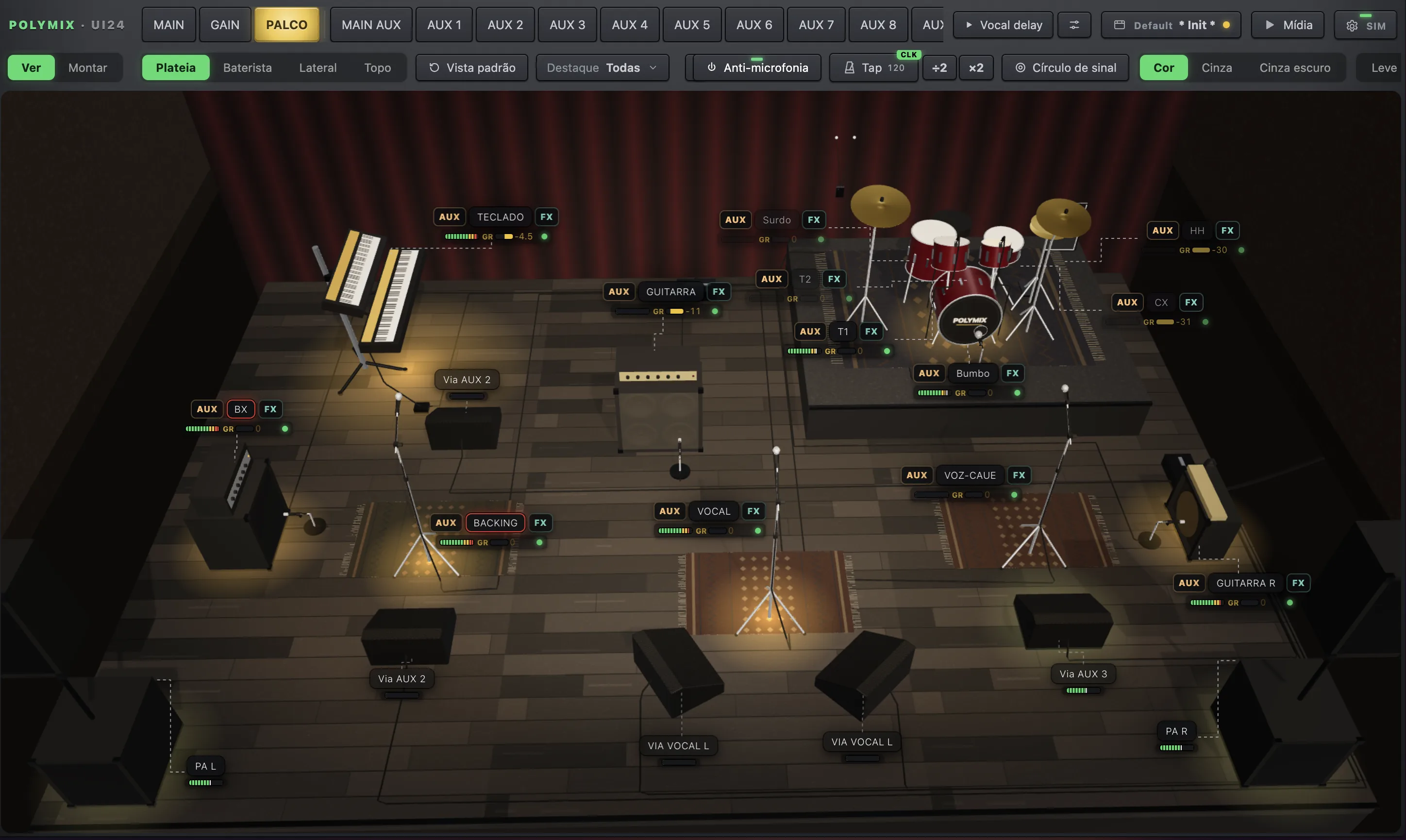
Your stage, in 3D.
With the signal on every piece.
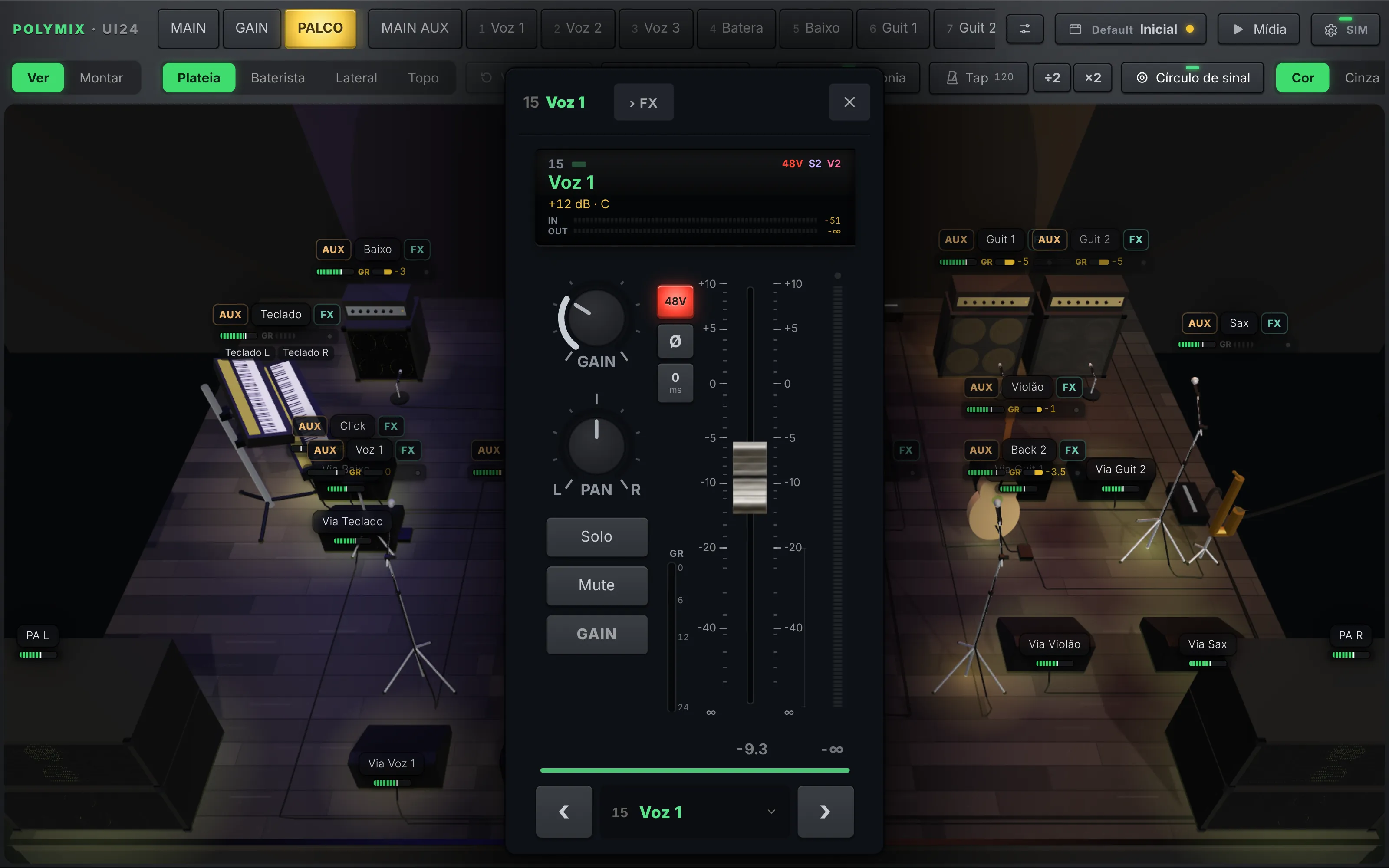
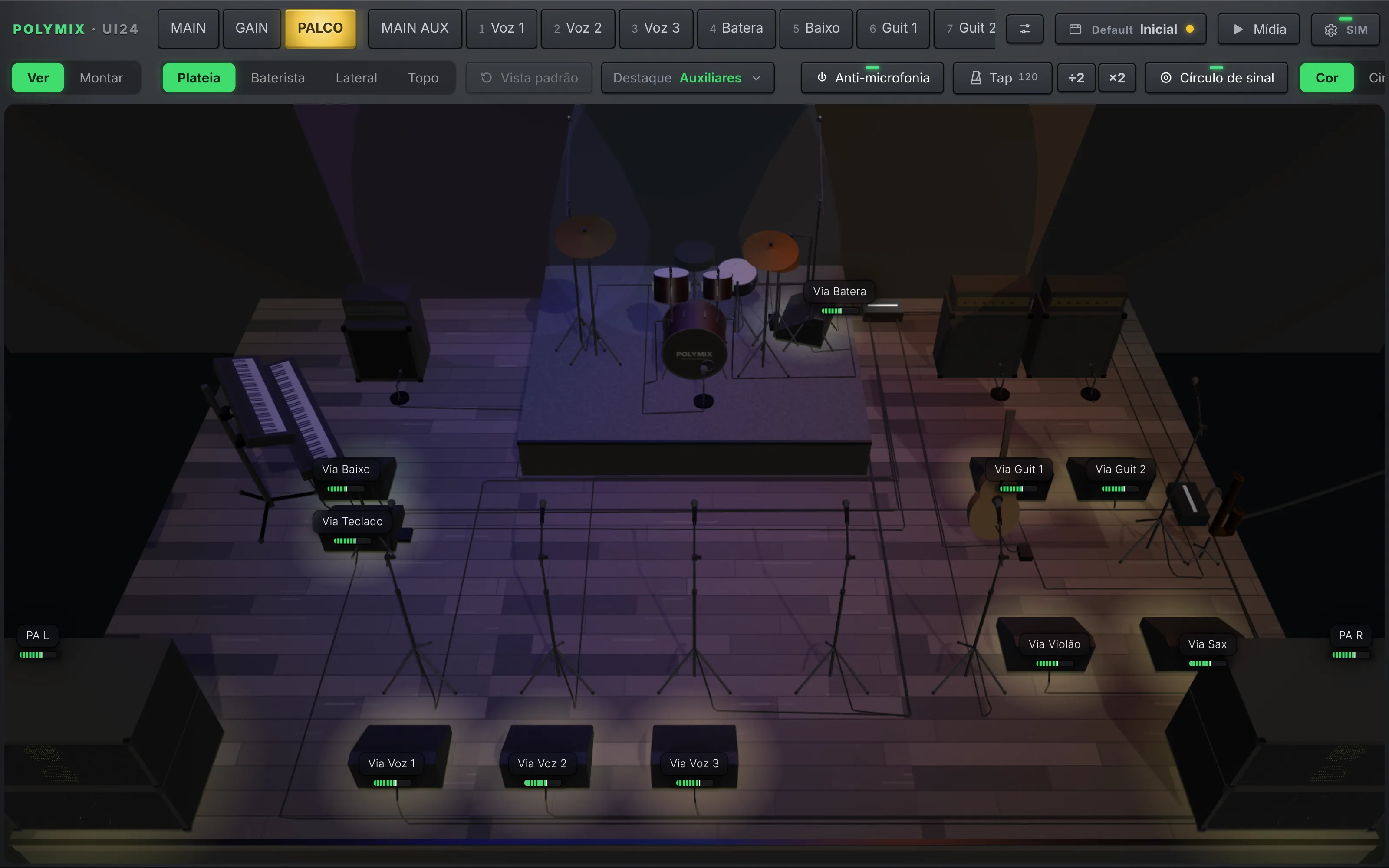
The STAGE tab builds the whole show from your channel names: drums, amps, keys, mics, PA and wedges in place. Signal lights up on every piece and one tap opens the channel.
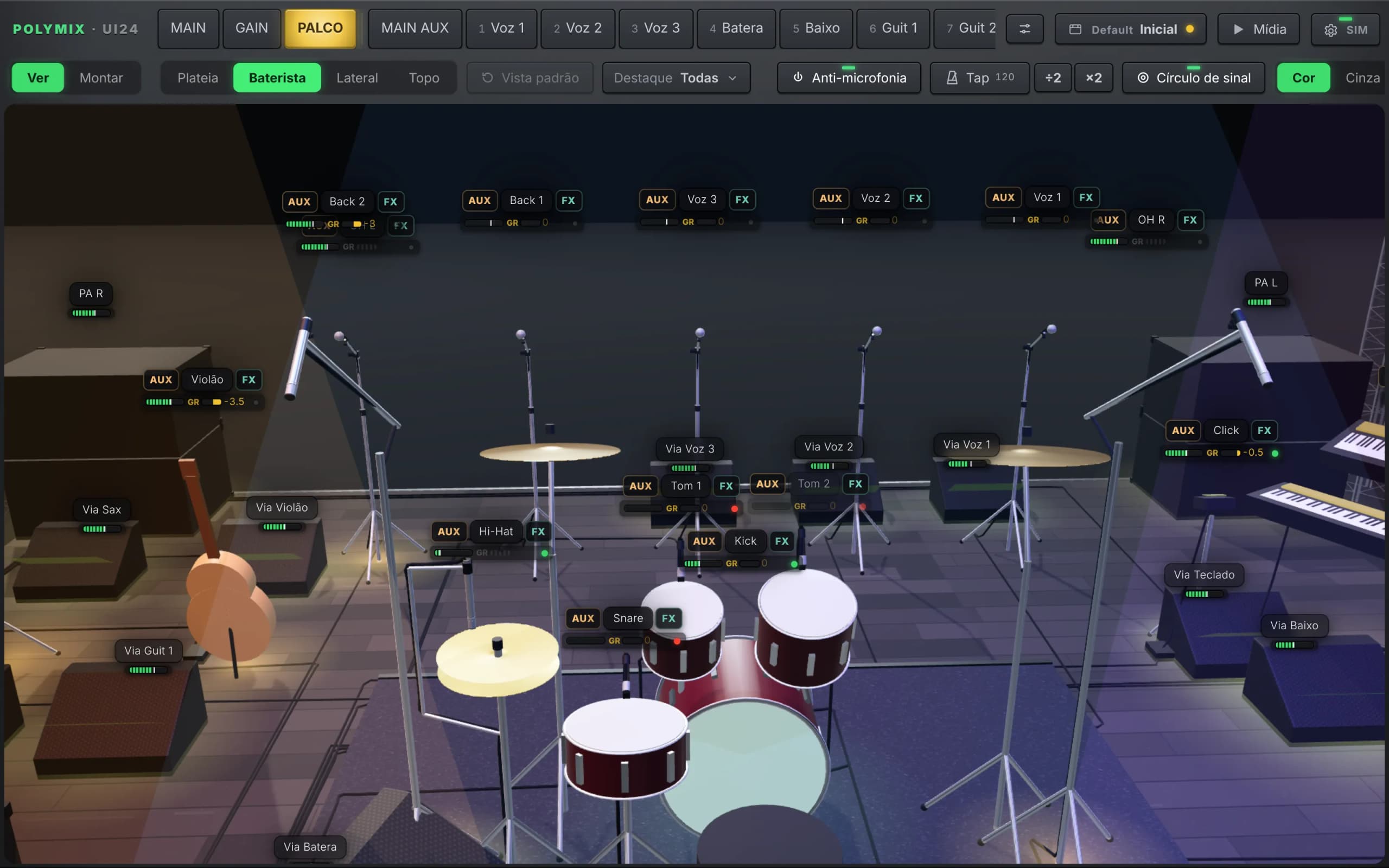
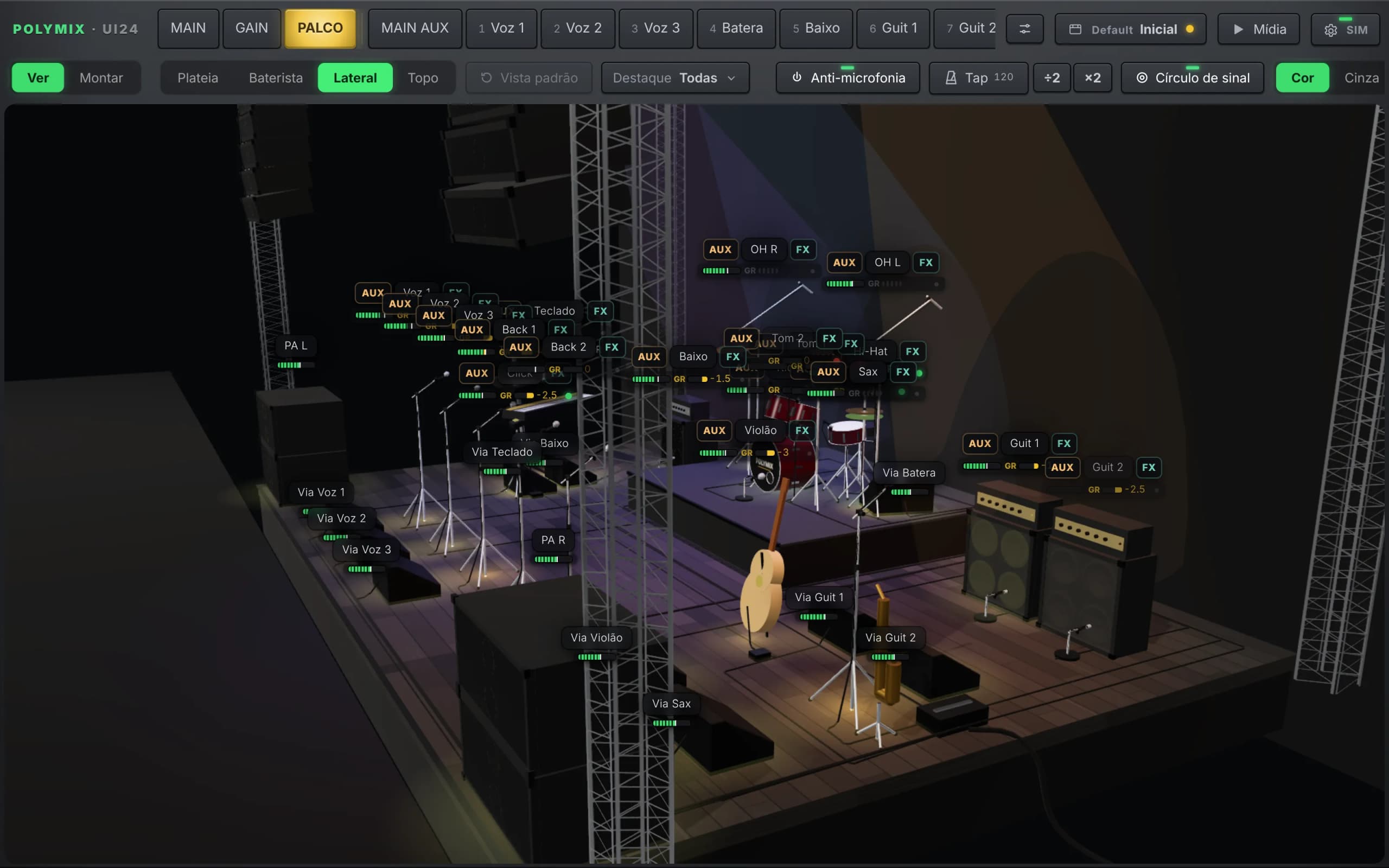
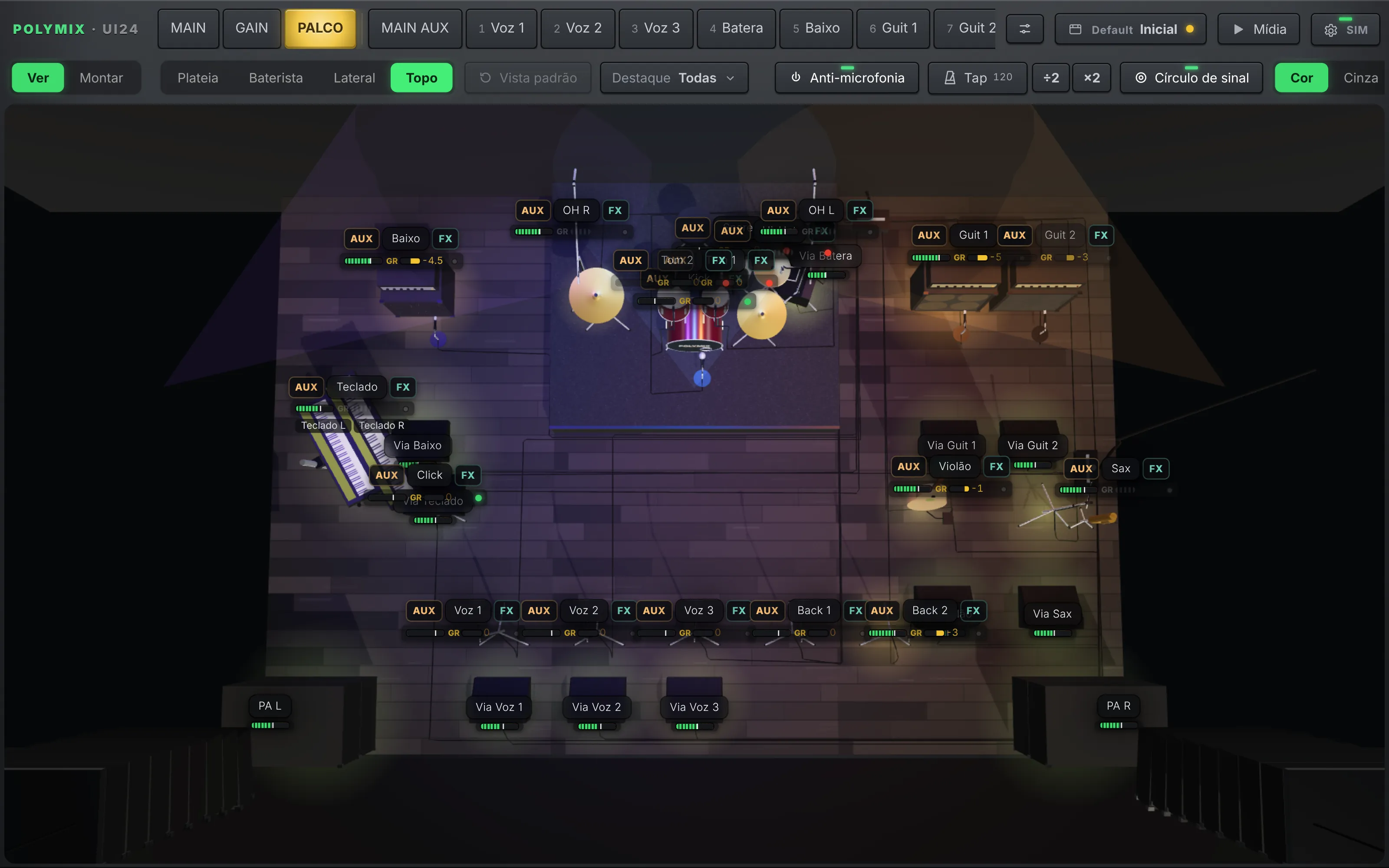
Built from the names.
Tap Build from channel names and the pieces land in place. Then just drag: a riser takes what is on top of it, with undo and redo.
Signal on every piece.
Signal circles and tags with meter, clip memory, compressor reduction and gate show who is playing, right on the stage.
Tap to open the channel.
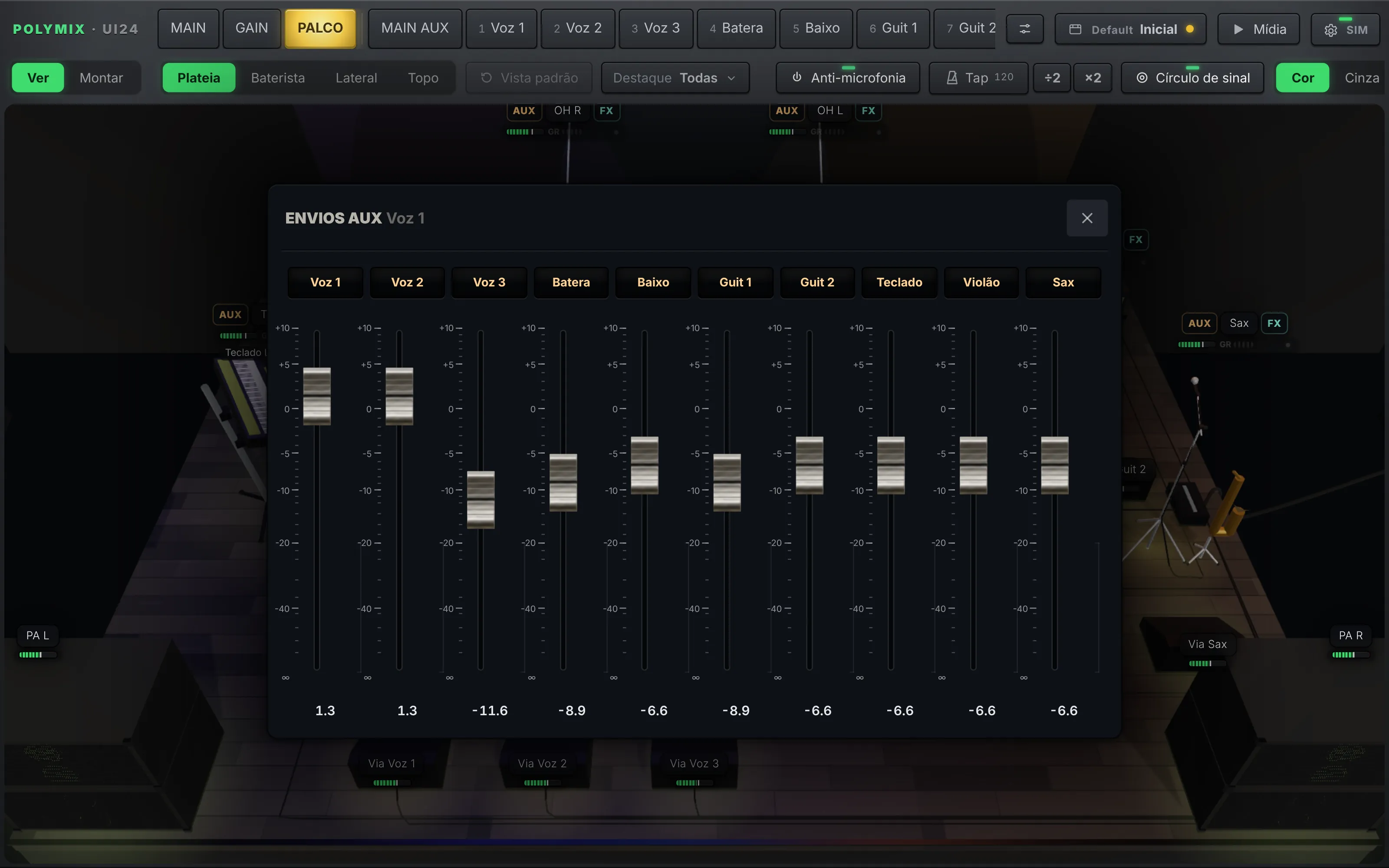
Tapping a piece opens the quick channel with gain, pan, solo, mute and fader. The AUX icon opens that channel's sends to every monitor mix.
Highlight by scene.
Pick a screen scene or the Auxes and the stage highlights only those pieces, dimming the rest.
Your kind of show.
Concert, indoor venue or open square, with stage height; PA on towers with subs or line array; floor or in-ear wedges per AUX; cables routed to the snakes.
Real instruments.
Mics, mic/line/pedalboard pickup, inside and outside kick, percussion, strings, horns, piano, DJ, backing tracks and click, each with its own icon.
All of the Ui24R, in a real console.
Channels, monitor mixes, effects, patching, scenes and setup, laid out like a physical desk. Tap any screen to enlarge it.
Designed like a desk.
Not like a web page.
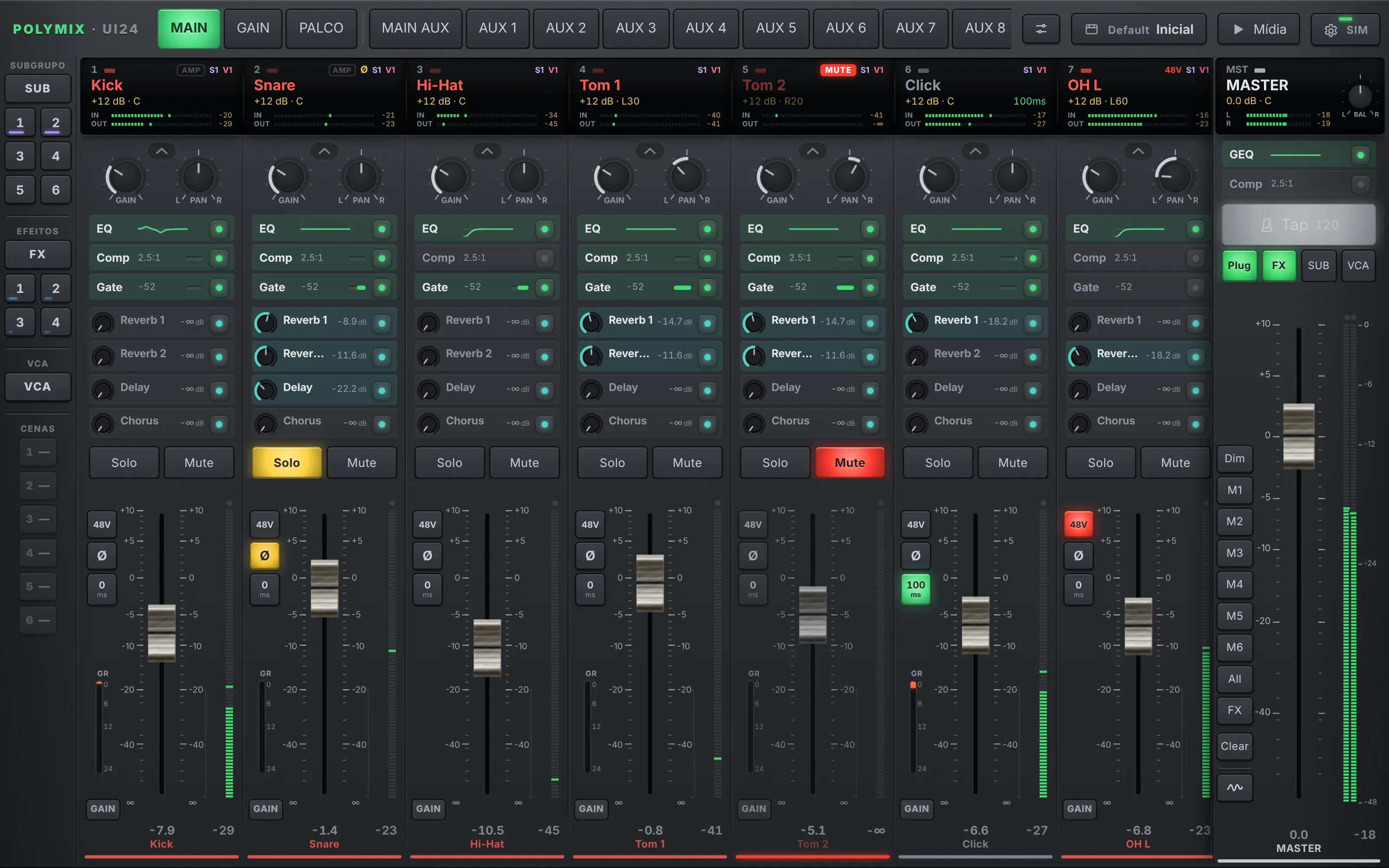
Displays with the name in the track color, faders with a dB scale and knobs that follow your finger. Polymix lays out the Ui24R the way live engineers expect to find it.
Everything on the strip.
Gain, pan, EQ, compressor, gate, effect sends, solo, mute, 48V, phase and delay on every channel, with input and output meters on the display.
Quick channel.
Hold the display and the strip opens up large, with the fader beside it, processing, sends, subgroup and VCA. Arrows switch channels without closing the window.
Screen scenes.
Views of your own, each with only the channels you pick: drums, vocals, the bass player's mix. Tap to open, hold to edit.
Copy, paste, undo.
Copy one channel's settings and paste them onto another, choosing what comes along. Undo and redo on processing and effects, per gesture.
Always in sync.
Whatever changes on the mixer shows up in Polymix and the other way around, even with several devices and the stock interface open at once.
EQ, dynamics and effects
that feel like plugins.
The processing windows borrow the look of studio plugins: large curves, aluminum knobs and animations that show what the effect is doing.
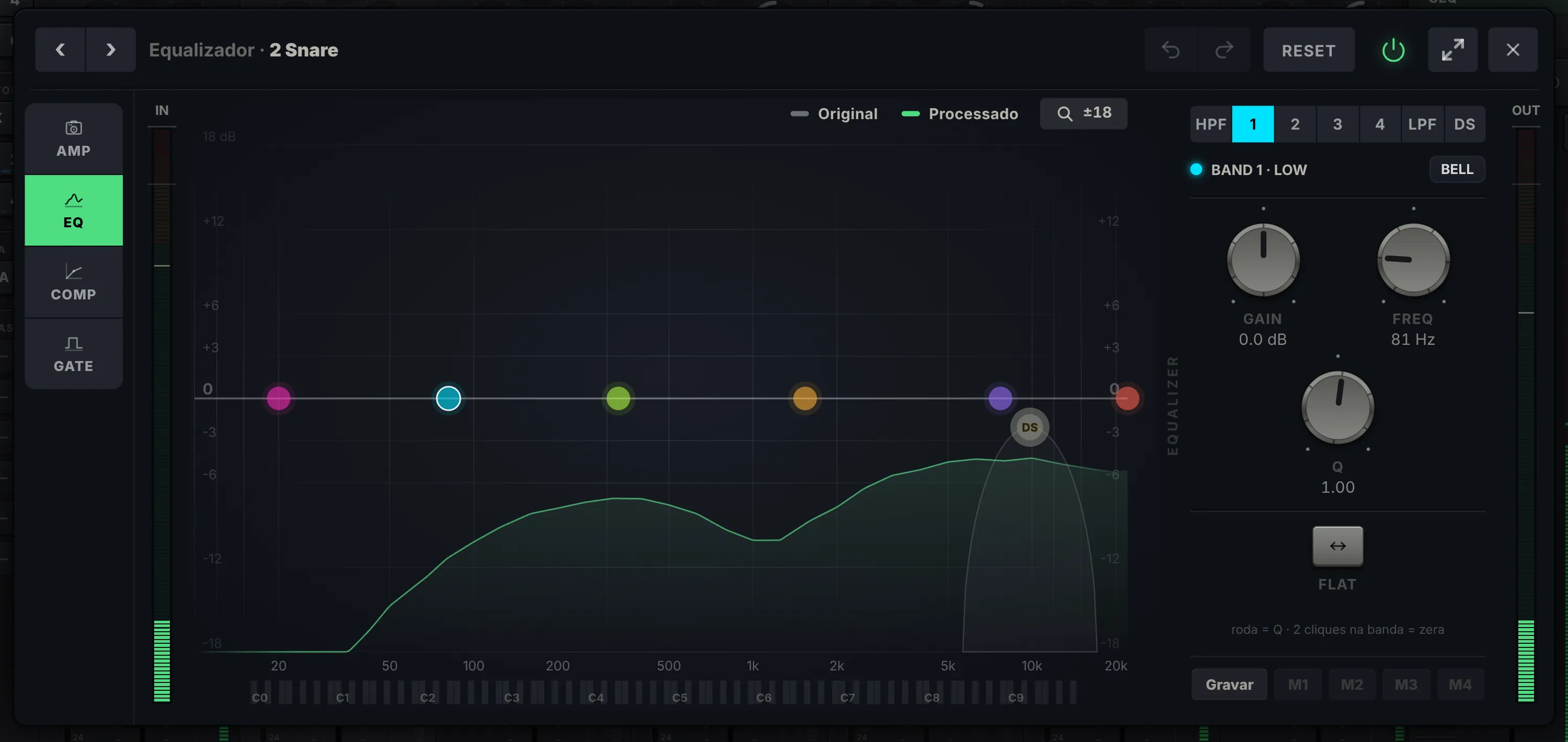
Original and processed RTA.
See the spectrum before and after the EQ on the same screen, with a legend. ±18 dB zoom and bands you drag with your finger.
EQ memories.
Four memories per channel (M1–M4), with the active, stored and modified ones marked in different colors.
Digital or analog compressor.
A transfer curve with soft knee and ducker in digital mode, or the 1176-style FET panel with VU in analog mode.
DigiTech amp.
On channels 1 and 2, the AMP tab shows head and cab per model, with Hi-Z and presets.
Effects with presets.
Reverb, delay, chorus and room with Polymix, factory and your own presets. TAP blinks in time and the effect is animated in the window.
Master screen.
The master's 31-band GEQ and compressor full screen, with L/R link and an L≠R mark when the sides drift apart.
Gain in place.
Feedback gone.
Two tools the stock Ui24R interface doesn't have, built for the minutes before the show: the gain assistant and the feedback guide.
Tap Measure and run the soundcheck.
The assistant keeps each input's peak from the pre meter and suggests gain for the target you choose. Review the list and apply it all at once.
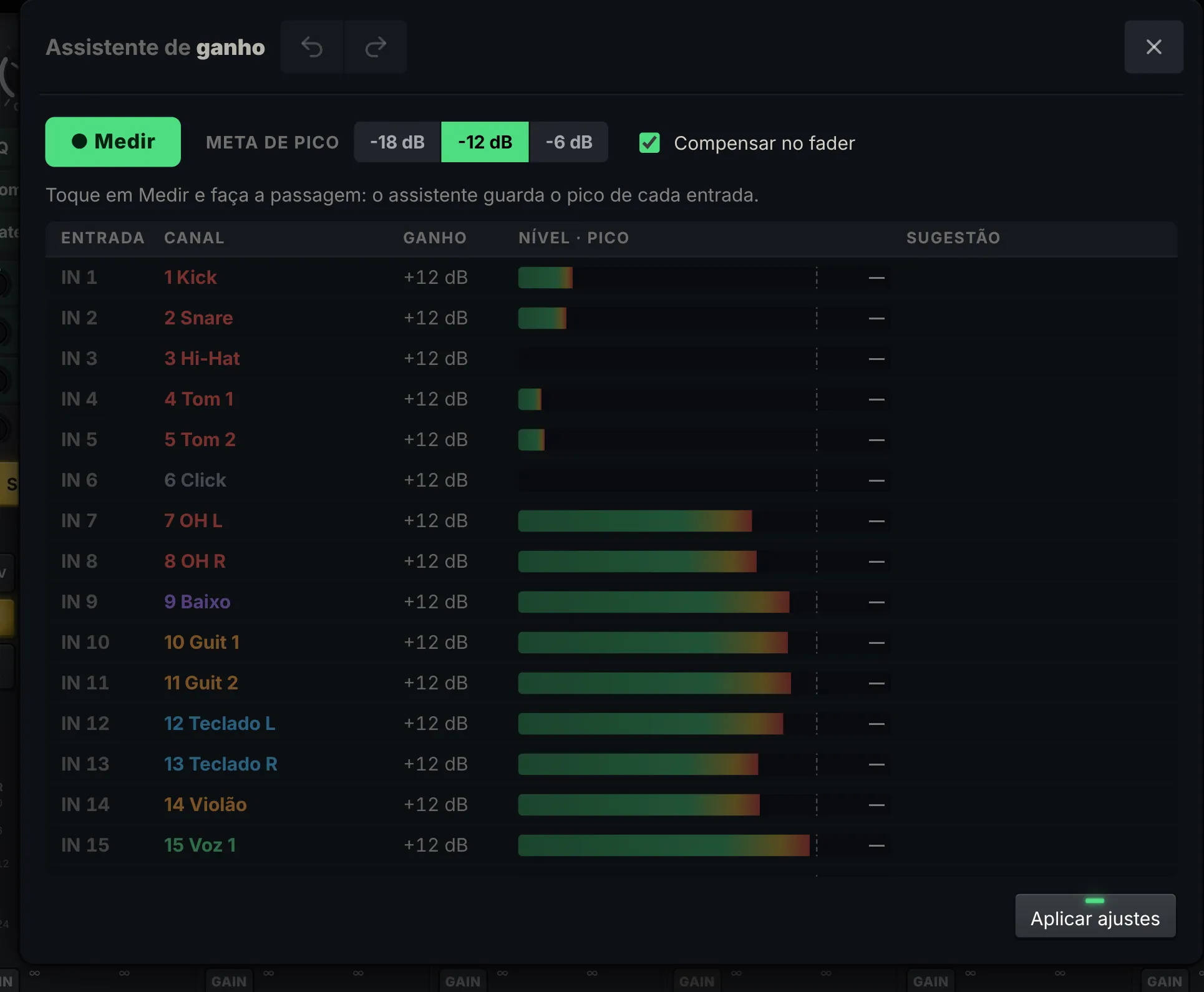
Measures during soundcheck.
With Measure on, every physical input keeps its peak while the band plays. Nothing changes on the mixer until you apply.
Target −18, −12 or −6 dB.
Pick how much headroom you want and the assistant works out each input's gain to get there.
On the preamp's real steps.
Suggestions follow the Ui24R preamp's actual steps. An input used on several channels gets a single adjustment.
Applies in one go.
One tap applies every suggestion, with an option to compensate on the fader so the mix level doesn't jump. Undo and redo in the header.
Flags what matters.
Clipping during the measurement (measure again), faders at the limit and an active compressor or gate are marked in the list.
Ring out step by step, output by output.
A guide on top of the Ui24R's own AFS² for every AUX and the master. It takes you from a disabled detector to show mode, with the RTA and filters on the same screen.
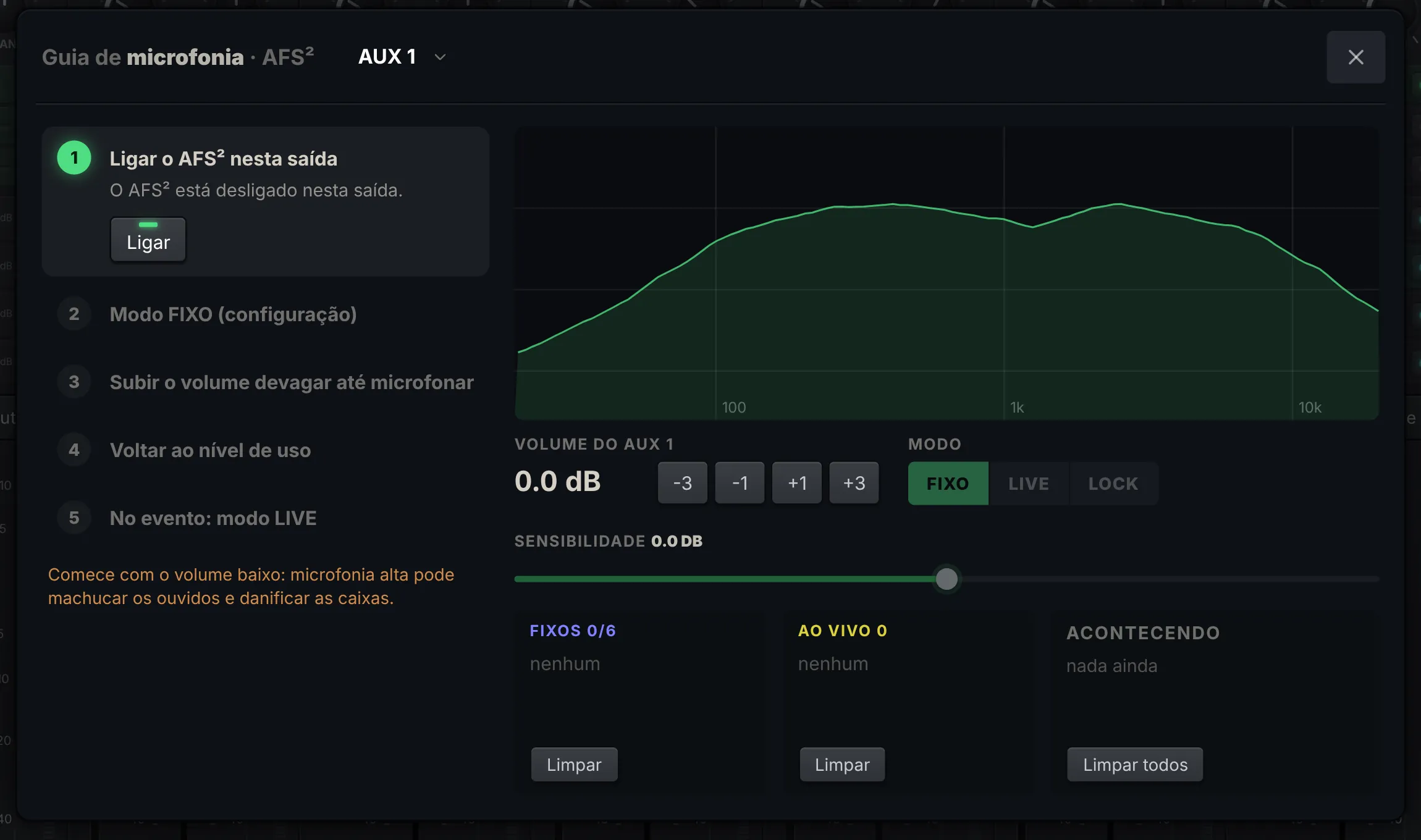
Turn on AFS² for the output.
Pick the monitor mix or the master at the top of the window. The guide shows whether AFS² is on there and enables it with one tap.
Fixed mode, raise it slowly.
Switch to FIXED mode, raise the output in 1 or 3 dB steps until it feeds back, and let AFS² place the filters.
Fine RTA with the filters.
The output spectrum shows in fine resolution, with each filter marked at the frequency where it was placed.
Fixed, live and events.
Lists of fixed and live filters, what is happening right now and buttons to clear each list. Sensitivity and mode on the same screen.
For the show, LIVE mode.
Back to performance level and switch to live mode: the fixed filters stay and AFS² keeps listening during the show.
Polymix is coming.
Get on the list.
We are finishing Polymix. Join the waitlist to be notified at launch, before the public announcement.
No charge now. We only email you when Polymix is ready.
- Free account required
- Every feature
- Expires on its own
- iPad · tablet · laptop
- Every feature
- All updates while subscribed
- Extra devices −20% from your account
- Cancel anytime
- Every feature
- All updates while subscribed
- Extra devices −20% from your account
- Cancel anytime
Before you
ask.
When does it launch?
We don't have a fixed date yet. People on the waitlist get notified first, before the public announcement.
What is the Stage tab?
A 3D stage of your show, built from your channel names. Every piece shows its incoming signal, with meter and compressor on its tag, and tapping it opens the channel or its monitor sends.
What do I need?
A Soundcraft Ui24R and a device with an up-to-date browser (iPad, Android tablet, phone or laptop) on the mixer's network, over Wi-Fi or cable.
Does it replace the stock interface?
It doesn't have to. Both work together: whatever changes in one shows up in the other. You can run Polymix on a tablet and the stock interface on your phone at the same time.
Does it work with the Ui16 or Ui12?
For now Polymix is built and tested on the Ui24R. Other models aren't supported yet.
Can I try it without the mixer?
Yes. Polymix has a built-in Ui24R simulator with animated meters, so you can learn the interface and build your scenes before the show.
Is it safe to use live?
Commands go straight to the mixer, and the Ui24R keeps running on its own if your device disconnects. Polymix reconnects automatically. As with any new interface, run your first test with the PA down.